Table of Contents
The Radaris opt-out process can be challenging. This guide helps you protect your personal information quickly and with less hassle.
You have a business, so some of your information will be online. That’s expected. You want people to find your business, read your reviews, and learn what you offer. That’s how you build a reputation.
But too much information can turn risky. Data broker websites collect your information and sell it to anyone with a credit card. Anyone can log on to Radaris, enter your name, and buy details about you. Subscribers even get automatic alerts when new information appears. And Radaris makes the opt-out process hard to find on purpose.
The real risk: once your personal data lands online, anyone can access it.
Read on to learn what Radaris is, whether it’s safe, what it tracks, and how to complete a Radaris opt-out.
What is Radaris?
Radaris is a people-search site that gathers and sells your personal data to anyone who requests it. Anyone can look up your name — or your business name — and buy your personal information for a low cost. This invades your privacy and creates potential privacy risks. It also makes identity theft easier.
The best way to protect yourself is to remove your information from the Radaris database. The process takes effort, but we’ll walk you through it.
Is Radaris Safe?
You can browse Radaris without worrying about scams or malware. But if you don’t want strangers accessing your personal data, it’s not safe at all.
How to See if You Show Up Under a Radaris Search
Go to www.radaris.com. Enter your name and click the magnifying glass icon. Radaris returns a list of everyone matching that name. Narrow the results by entering a state or city.
From there, you can view free profiles showing name, property, and business details. You can also run background checks on anyone — which is exactly why opting out matters.
How Does Radaris Even Get Your Information?
Like other data brokers, Radaris pulls information from many sources: social platforms, public records, government records, tax records, email databases, phone directories, and more. The company even sends representatives to government offices to collect records not available online.
Radaris draws from other brokers too
Radaris also relies on brokers like Spokeo, My Life, LexisNexis, and Intelius. It packages all of this into a file and sells it to paying customers. Subscribers receive automatic alerts when new information surfaces about you.
This feels invasive — because it is. But it’s completely legal in the United States. You still have the right to request removal. Just know this: opting out of My Life or Spokeo does not remove your data from Radaris. Each broker requires its own separate request.
We’ll give you step-by-step instructions so you can feel safer.
How to Remove Your Information From Radaris
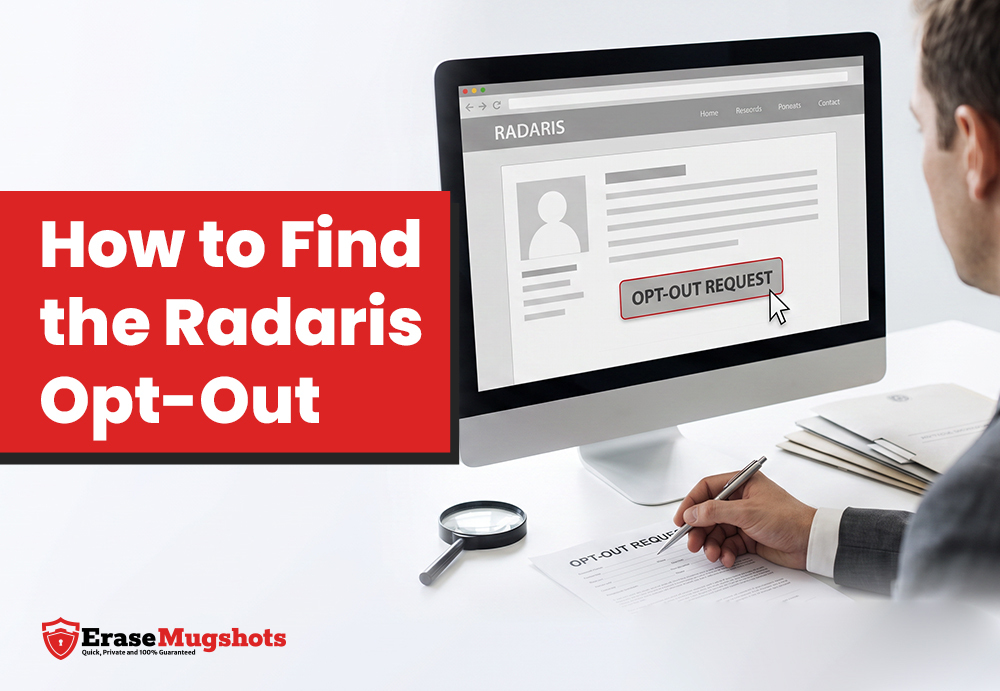
For a proper Radaris opt-out, submit a separate removal request for each record that matches your information. You can do this manually, but a data removal service saves time and effort.
Manual removal steps
First, sign up for Radaris. Search your name, then create an account. This feels counterproductive, but it’s the only way. Don’t worry — we’ll help you erase your information.
When signing up, use Proton Mail for encrypted email. You can reuse this address for opt-outs on other broker sites too.
After signing in, verify your account and confirm your information. Click your account and select “My Page Link” to confirm ownership. Then click “Delete specific records.”
You can remove up to six records at a time. These include public records, phone numbers, addresses, and social network profiles. Select your records and click the orange “Remove Selected Records” button at the bottom of the page. A confirmation page appears after you submit.
Expect the removal to take about 72 hours. Wait seven days before checking to confirm everything cleared.
What Information Gets Removed?
Radaris lets you choose which records to remove. Options include property tax records, employment history, and contact information. Removing your Radaris data does not automatically clear it from other data broker sites. You’ll need to repeat the process elsewhere.
Common Questions About Opting Out of Radaris
How long does removal take?
Removal typically takes 48–72 hours. Most people recommend waiting at least seven business days to confirm the data cleared properly.
What does Radaris do with the information?
Radaris doesn’t store its own database. It pulls data in real time from sources like property transactions, postal address changes, voter registration records, and phone companies. After you complete the removal process, Radaris stops returning results for your name.
Is opting out safe?
Radaris follows top security practices. 128-bit encryption protects each transaction, and the team continuously checks servers for compliance.
What if you don’t have time?
Radaris sources data from a large number of websites. Tracking down all those removal requests can take days or weeks. Third-party tools handle the process for you and submit opt-out forms on your behalf.
Why Removal Matters for Your Business
You want people to find your business, read your reviews, and explore what you offer. That’s expected. But when personal information gets mixed in, the risks grow fast.
Customers knowing your business phone number is fine. Customers finding your home address, cell number, family members, or date of birth is not. That level of detail creates real risk of identity theft or personal harm.
You don’t know everyone who searches your business name. Anyone can access that data. Complete the Radaris opt-out and keep your personal records out of public view.
Wrapping It Up
Online reputation management is critical to your business. When people search your industry or your name, you want to control what they see.
Your business contact info and positive reviews should be visible. Your personal life should not. Data broker platforms like Radaris make it easy for anyone to find more than you’d ever want to share.
For example, a customer might need your business number. But a quick search can surface your personal cell. That’s unsettling — and completely avoidable.
Follow the steps above to see if your data appears on Radaris. If it does, complete the opt-out and watch for the confirmation link. Search engines may still show cached results briefly after your profile disappears.
You can opt out any time — it’s your right. Each data broker requires its own removal request. It takes time, but the peace of mind is worth it.
Need help managing your reputation online? Check out our reputation management services here.
See What Shows Up When Someone Searches Your Name
Get a free, no-obligation analysis of your exposure — mugshots, arrest records, and everything else a background check might turn up.